 by
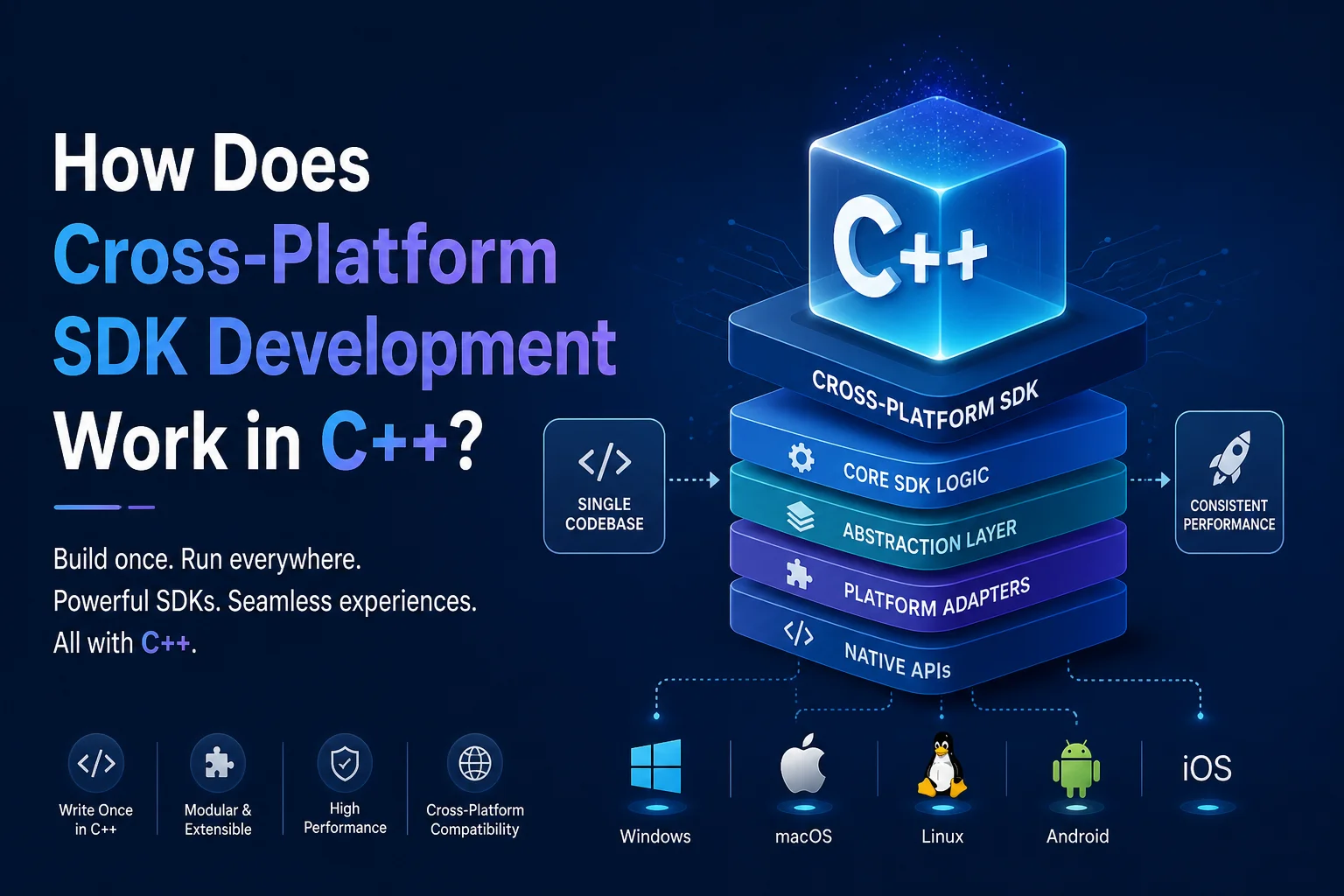
by If you’re building an SDK that needs to ship on iOS, Android, Windows, and Web, C++ is often the only language that can reach all four without a full rewrite. We’ve seen this firsthand — building libraries that run on everything from an Android handset to a WebAssembly module in a browser. It’s not magic, and it’s not painless. But with the right architecture, it’s absolutely manageable.
This guide walks through exactly how it works: how to structure your code, how to get it to compile everywhere, how to expose it to Java, Swift, and JavaScript, and where the real traps are. Whether you’re an SDK author starting from scratch, a mobile engineer evaluating C++ for a shared library, or someone trying to understand what “cross-platform C++” actually means in a codebase — this is for you.
We’ll cover architecture, build systems, language interop, tooling, and dependency management — in that order, because that’s the order it matters.
Section 1: Why C++ for Cross-Platform SDK Development?
The short answer: C++ runs natively on every major platform. Nothing else does.
Java needs the JVM. Swift is Apple-only. Dart (Flutter) is great for UI but not for low-level libraries. Rust is promising but has limited native iOS/Android integration tooling today. C++ is the one language where you can write code once and compile it — without a runtime — on Windows, macOS, Linux, iOS, Android, and WebAssembly.
That matters enormously for SDK authors. When you’re writing an application, you can pick a platform and go deep. When you’re writing an SDK, you are the platform layer for someone else’s application. Every kilobyte of overhead, every threading assumption, every runtime dependency you introduce becomes someone else’s problem. C++ lets us ship a .a static library or a .so dynamic library with no hidden runtime, predictable memory behavior, and full control over what’s exported.
Real-world proof: Dropbox built their desktop sync engine in C++ so it could share logic across Windows, macOS, and Linux. Google’s core mobile libraries (WebRTC, Abseil, Protobuf) are C++. Spotify’s Chromium-based player relies on C++ at its core. These aren’t academic choices — they’re the result of teams realizing that native C++ was the only way to avoid maintaining three separate implementations.
When C++ is not the right choice
We’d be doing you a disservice if we didn’t say this plainly: C++ is complex, and if you don’t need the control it gives you, don’t use it.
- Kotlin Multiplatform is a strong alternative for business logic shared between Android and iOS if your team is already in the JVM/Swift world.
- Rust has excellent cross-compilation support and is worth evaluating for new SDKs, especially security-sensitive ones. The tooling for JNI and iOS FFI is still maturing though.
- Go produces static binaries but has a larger runtime and GC, which can be a problem in memory-constrained environments.
If you’re building a compute-intensive library — audio processing, computer vision, cryptography, networking protocol logic — C++ is almost certainly the right choice. If you’re building CRUD logic, pick something with better ergonomics.
Section 2: The Core Architecture — How It’s Actually Structured
This is the section that matters most. Get the architecture wrong and every other decision becomes harder.
2.1 — The Two-Layer Mental Model
Think of your SDK as two concentric rings:
- Inner ring (platform-agnostic core): This is where your actual logic lives. String processing, data encoding, algorithm implementations, business rules. This code has zero knowledge of what platform it’s running on.
- Outer ring (platform-specific shell): This is the thin layer that connects your core to the host OS. File I/O, network calls, logging, threading primitives — anything that works differently on iOS vs. Android vs. Windows lives here.
The discipline is keeping these rings truly separate. The moment your core starts including <windows.h> or <UIKit/UIKit.h>, you’ve broken the model and you’ll pay for it every time you compile for a new target.
2.2 — The Pimpl Idiom
The Pimpl idiom (“Pointer to Implementation”) is one of the most useful patterns for SDK authors specifically. Here’s the idea: your public header declares a class with only an opaque pointer to the implementation. The actual implementation is in a .cpp file that your consumers never see.
// sdk_core.h — this is what you ship to consumers
class SdkCore {
public:
SdkCore();
~SdkCore();
void process(const std::string& input);
private:
struct Impl; // forward declaration — no details exposed
Impl* pImpl; // opaque pointer
};
// sdk_core.cpp — this never ships as a header
#include “sdk_core.h”
#ifdef _WIN32
#include <windows.h> // platform header stays hidden here
#endif
struct SdkCore::Impl {
// platform-specific state goes here
};
SdkCore::SdkCore() : pImpl(new Impl()) {}
SdkCore::~SdkCore() { delete pImpl; }
void SdkCore::process(const std::string& input) {
// implementation using pImpl->…
}
Why does this matter for SDK authors? Two reasons. First, your consumers don’t pull in <windows.h> or any other platform header just by including your SDK header. Second, your ABI is stable — you can change the Impl struct internally without changing the binary interface your consumers compile against.
The downside is a bit of boilerplate and an extra heap allocation. For most SDK use cases, that’s a worthwhile trade.
2.3 — Abstraction Layers and Interface Classes
For larger behavioral differences — not just header pollution but genuinely different implementations — use pure virtual interfaces.
// ILogger.h
class ILogger {
public:
virtual ~ILogger() = default;
virtual void log(const std::string& message) = 0;
};
// PosixLogger.h — used on Linux, Android, macOS
class PosixLogger : public ILogger {
public:
void log(const std::string& message) override;
};
// WindowsLogger.h — used on Windows
class WindowsLogger : public ILogger {
public:
void log(const std::string& message) override;
};
A factory function then returns the right implementation based on the platform (or based on a compile-time flag if you prefer):
std::unique_ptr<ILogger> createLogger() {
#ifdef _WIN32
return std::make_unique<WindowsLogger>();
#else
return std::make_unique<PosixLogger>();
#endif
}
This pattern scales. You can do the same thing for IFileSystem, INetworkClient, IThreadPool — any system service that behaves differently across platforms.
2.4 — Preprocessor Macros (#ifdef Guards)
For small, localized differences — a different function call, a different type name — #ifdef is fine:
#ifdef _WIN32
// Windows-specific code
#elif defined(__APPLE__)
// macOS/iOS
#elif defined(__ANDROID__)
// Android
#elif defined(__linux__)
// Linux
#elif defined(__EMSCRIPTEN__)
// WebAssembly
#endif
One strong recommendation: centralize all your platform detection in a single platform.h file. Don’t scatter #ifdef _WIN32 across 40 source files. When the macros change (and they do), you want one place to update.
What you should not do: use #ifdef for complex logic differences. If the Windows and POSIX implementations of something are more than a few lines, that’s what the interface classes in Section 2.3 are for. #ifdef blocks that span 50 lines are a maintenance disaster.
Section 3: The Build System — Making It Compile Everywhere
3.1 — Why You Need a Meta-Build System
Windows uses .sln and .vcxproj files. macOS and iOS use .xcodeproj. Linux uses Makefiles. Android uses its own Gradle-based NDK build. You cannot maintain all of these by hand.
A meta-build system lets you describe your project once and generate the native build files for each platform. CMake is the industry standard for C++ SDK development.
3.2 — CMake (The Industry Standard)
CMake uses a CMakeLists.txt file to describe what you’re building. Here’s a minimal example for a cross-platform SDK:
cmake_minimum_required(VERSION 3.20)
project(MySDK VERSION 1.0.0 LANGUAGES CXX)
set(CMAKE_CXX_STANDARD 17)
# Platform-specific source files
set(PLATFORM_SOURCES “”)
if(WIN32)
list(APPEND PLATFORM_SOURCES src/platform/windows_logger.cpp)
elseif(APPLE)
list(APPEND PLATFORM_SOURCES src/platform/posix_logger.cpp)
elseif(ANDROID)
list(APPEND PLATFORM_SOURCES src/platform/android_logger.cpp)
else()
list(APPEND PLATFORM_SOURCES src/platform/posix_logger.cpp)
endif()
add_library(mysdk STATIC
src/sdk_core.cpp
${PLATFORM_SOURCES}
)
target_include_directories(mysdk PUBLIC include)
target_compile_definitions(mysdk PRIVATE SDK_VERSION=”${PROJECT_VERSION}”)
Running cmake -B build -S . generates the right native build files for whatever platform you’re on. Running cmake –build build then actually compiles it.
3.3 — Toolchain Files and Cross-Compilation
Cross-compilation means building on one machine for a different target. You’re on your Mac, but you’re building a .so for an ARM Android device. CMake handles this through toolchain files — a CMake file that tells the build system which compiler to use.
Android NDK toolchain:
cmake -B build-android \
-DCMAKE_TOOLCHAIN_FILE=$NDK/build/cmake/android.toolchain.cmake \
-DANDROID_ABI=arm64-v8a \
-DANDROID_PLATFORM=android-21
iOS toolchain:
cmake -B build-ios \
-DCMAKE_SYSTEM_NAME=iOS \
-DCMAKE_OSX_ARCHITECTURES=arm64
The typical compiler matrix looks like this:
| Platform | Compiler |
| Windows | MSVC (cl.exe) |
| macOS / iOS | Apple Clang (via Xcode) |
| Linux | GCC or Clang |
| Android | Clang (via NDK) |
| WebAssembly | Emscripten (emcc) |
3.4 — CI/CD for Multi-Platform Builds
Your code might compile fine on your Mac but break on Windows because of a missing #include or a platform-specific assumption you didn’t notice. Automated CI builds catch this before it becomes your user’s problem.
GitHub Actions lets you run the same workflow on multiple OS runners with a matrix strategy:
jobs:
build:
strategy:
matrix:
os: [ubuntu-latest, windows-latest, macos-latest]
runs-on: ${{ matrix.os }}
steps:
– uses: actions/checkout@v4
– name: Configure
run: cmake -B build -DCMAKE_BUILD_TYPE=Release
– name: Build
run: cmake –build build
For iOS, you’ll need macOS runners (and code signing setup). For Android, you can cross-compile on Linux or macOS runners using the NDK.
Section 4: Cross-Platform Interop — Using Your C++ SDK in Other Languages
4.1 — The Interop Problem
Your core is C++. Android apps are Kotlin or Java. iOS apps are Swift. Web is JavaScript. None of these languages can call C++ directly. You need a bridge layer.
There are three main approaches: write it by hand (JNI for Android, Objective-C++ for iOS), generate it automatically (Djinni), or compile to a different target entirely (Emscripten for Web).
4.2 — JNI (Java Native Interface) for Android
JNI is the bridge between the Android JVM and your native C++ code. Here’s how it works: you declare a native method in Java/Kotlin, and JNI routes calls to a C++ function with a specific naming convention.
// Java side
public class SdkWrapper {
static { System.loadLibrary(“mysdk”); }
public native String process(String input);
}
// C++ side — function name follows JNI naming convention
extern “C” JNIEXPORT jstring JNICALL
Java_com_example_SdkWrapper_process(JNIEnv* env, jobject /* obj */, jstring input) {
const char* inputStr = env->GetStringUTFChars(input, nullptr);
std::string result = SdkCore::process(inputStr);
env->ReleaseStringUTFChars(input, inputStr);
return env->NewStringUTF(result.c_str());
}
The common pain points with JNI:
- Type marshalling: Java String is not a C++ std::string. You need to convert explicitly.
- Reference management: JNI has local and global references. Forgetting to release local references in loops causes memory leaks.
- Thread attachment: If you call JNI functions from a background thread, you need to attach that thread to the JVM first.
JNI is verbose. But once you understand the patterns, it’s predictable.
4.3 — Objective-C++ for iOS
On Apple platforms, you have a cleaner path: Objective-C++. Rename any .cpp file to .mm and you can freely mix C++ and Objective-C in the same file. This means you can write a thin Objective-C wrapper class around your C++ core, which Swift can then call directly.
// SdkWrapper.mm — Objective-C++ wrapper
#import “SdkWrapper.h”
#include “sdk_core.h”
@implementation SdkWrapper {
SdkCore* _core; // C++ object stored as a member
}
– (instancetype)init {
self = [super init];
if (self) {
_core = new SdkCore();
}
return self;
}
– (NSString*)process:(NSString*)input {
std::string result = _core->process([input UTF8String]);
return [NSString stringWithUTF8String:result.c_str()];
}
– (void)dealloc {
delete _core;
}
@end
Swift can call SdkWrapper directly without knowing anything about C++. This is often simpler than a pure C interface on Apple platforms, and it gives you the full Objective-C type system (which maps well to Swift).
4.4 — Djinni (Automated Glue Code Generation)
If your SDK has many types, interfaces, and methods — writing JNI and Objective-C++ wrappers by hand gets tedious and error-prone fast. Djinni, originally open-sourced by Dropbox, solves this.
You define your interface in a .djinni file:
sdk_core = interface +c {
static create(): sdk_core;
process(input: string): string;
}
Djinni generates the JNI C++ and the Objective-C++ wrapper automatically from this definition. When your interface changes, you regenerate. No manual glue code.
The trade-off: Djinni adds a code generation step to your build. For small SDKs, that’s probably not worth it. For medium-to-large SDKs with complex type systems, it saves hundreds of lines of repetitive code. The project is currently maintained by the community (Snapchat has an active fork) and is worth evaluating.
4.5 — Emscripten for Web (WebAssembly)
Emscripten compiles C++ to WebAssembly (.wasm) plus a JavaScript wrapper. Your SDK’s logic runs in the browser without any server round-trips.
emcmake cmake -B build-wasm -DCMAKE_BUILD_TYPE=Release
cmake –build build-wasm
This works best for SDKs that are pure computation — encoding, cryptography, image processing, data parsing. The limitations to know upfront:
- No direct file system access (there’s an emulated one, but it’s not the real thing)
- Threading requires SharedArrayBuffer, which has specific HTTP header requirements
- Binary size can be large; optimize with -Os and link-time optimization
WASI (WebAssembly System Interface) is an emerging standard for running .wasm outside the browser — in server environments, edge functions, and plugins. It’s worth keeping an eye on for SDKs that need portable compute across cloud and edge targets.
Section 5: Development Environments
5.1 — Visual Studio (Windows-first)
Visual Studio has a “Mobile development with C++” workload that supports building for Android from Windows using the NDK. It’s the natural choice for Windows-first teams. Note that Microsoft has been pushing developers toward managing the NDK independently (outside of Visual Studio’s built-in version management), so check the current NDK setup documentation separately.
5.2 — CLion
CLion is built around CMake natively, which means no project format mismatch. It works identically on Windows, macOS, and Linux — making it a strong choice for teams that span operating systems. If your team has a mix of Mac and Windows developers, CLion is worth looking at.
5.3 — VS Code + Extensions
The C/C++ extension gives you IntelliSense and debugging. The CMake Tools extension lets you configure, build, and run tests from VS Code. It’s a lightweight option and very popular for Linux-based SDK development. The setup takes a bit of manual work but it’s a capable environment.
5.4 — Xcode (Required for iOS)
You cannot distribute iOS binaries without Xcode’s toolchain, even if you develop in CLion or VS Code. Xcode handles code signing, entitlements, and .xcframework packaging — all of which are required for App Store submission. Xcode is the mandatory last step for anything shipping on iOS.
Section 6: Dependency Management Across Platforms
6.1 — The Problem With C++ Dependencies
C++ has no built-in package manager. Every library you depend on needs to be built for each target platform and architecture. If you need a dependency on Windows (x64), macOS (arm64 + x86_64), iOS (arm64), Android (arm64-v8a + x86_64), and WebAssembly — that’s 6+ builds of the same library. Managing this manually doesn’t scale.
6.2 — vcpkg
vcpkg is Microsoft-backed and integrates directly with CMake and Visual Studio. You describe your dependencies in a vcpkg.json manifest file:
{
“name”: “mysdk”,
“version”: “1.0.0”,
“dependencies”: [“zlib”, “nlohmann-json”]
}
Then CMake automatically uses vcpkg to pull and build those dependencies. It’s a strong choice for Windows-heavy projects and teams already in the Visual Studio ecosystem.
6.3 — Conan
Conan is more flexible than vcpkg. It supports virtually every platform and build system, and its conanfile.py gives you Python-level control over how dependencies are configured. It’s the better choice for teams with complex multi-platform requirements or CI pipelines that need fine-grained control.
# conanfile.txt
[requires]
zlib/1.3
nlohmann_json/3.11.2
[generators]
CMakeDeps
CMakeToolchain
6.4 — Vendoring and Git Submodules
For small SDKs with tightly controlled builds, sometimes the simplest approach is just vendoring your dependencies — checking the source directly into your repository as a Git submodule. No package manager, no version resolution surprises, no network dependencies in CI.
The downside: updating dependencies is manual, and your repo grows larger. For stable, rarely-changing dependencies (a specific version of Abseil or a hash library), vendoring can be the right call.
Section 7: Practical Considerations and Common Pitfalls
These are the things you learn by doing, not by reading documentation.
Use fixed-size integer types. int is 32 bits on most platforms but the standard only guarantees it’s at least 16 bits. For any data that crosses a network boundary or gets serialized, use <cstdint> types: int32_t, uint64_t, int16_t. This is not optional — data corruption bugs from type size mismatches are subtle and hard to debug.
Normalize file paths. On Windows, path separators are \. On everything else, they’re /. Do not hardcode either. Use std::filesystem (C++17) or abstract file path handling behind an interface. If you’re not on C++17 yet, at minimum wrap all path construction in a utility function.
Thread abstraction. POSIX threads and Windows threads have different APIs. Use std::thread and std::mutex from <thread> and <mutex> — these are part of the C++ standard library and work everywhere. If you’re using platform-specific threading APIs, you’re doing more work than you need to.
Control your exported symbols. By default, every function in a .so or .dll is potentially exported, which bloats your binary and exposes internal implementation details. Use __attribute__((visibility(“hidden”))) on Linux/Android/macOS to hide internal symbols, and __declspec(dllexport) on Windows to explicitly export only your public API. CMake’s GenerateExportHeader module automates this.
Expose a C API at your SDK boundary. Even if your internals are full C++, expose a flat C interface (extern “C”) at the public boundary of your SDK. C has a stable ABI everywhere. C++ does not — different compilers and even different compiler versions can produce incompatible name mangling. A C API ensures consumers can link against your SDK regardless of their compiler.
Run your tests on all target platforms in CI. A test suite that only runs on your development machine catches nothing platform-specific. Add Linux, Windows, and macOS runners to your CI. For Android and iOS, emulators are available in most CI environments.
Section 8: A Minimal End-to-End Example
Let’s make this concrete. Here’s a tiny StringUtils SDK with all the pieces in place.
Directory structure:
mysdk/
├── include/
│ └── string_utils.h
├── src/
│ ├── string_utils.cpp
│ ├── platform/
│ │ ├── ILogger.h
│ │ ├── posix_logger.cpp
│ │ └── windows_logger.cpp
│ └── logger_factory.cpp
├── bindings/
│ ├── android/
│ │ └── jni_bridge.cpp
│ └── ios/
│ └── StringUtilsWrapper.mm
└── CMakeLists.txt
The public header (include/string_utils.h):
#pragma once
#include <string>
class StringUtils {
public:
static std::string toUpperCase(const std::string& input);
static std::string reverse(const std::string& input);
};
The implementation (src/string_utils.cpp):
#include “string_utils.h”
#include <algorithm>
#include <cctype>
std::string StringUtils::toUpperCase(const std::string& input) {
std::string result = input;
std::transform(result.begin(), result.end(), result.begin(),
[](unsigned char c) { return std::toupper(c); });
return result;
}
std::string StringUtils::reverse(const std::string& input) {
return std::string(input.rbegin(), input.rend());
}
CMakeLists.txt:
cmake_minimum_required(VERSION 3.20)
project(mysdk)
set(CMAKE_CXX_STANDARD 17)
set(PLATFORM_SOURCES “”)
if(WIN32)
list(APPEND PLATFORM_SOURCES src/platform/windows_logger.cpp)
else()
list(APPEND PLATFORM_SOURCES src/platform/posix_logger.cpp)
endif()
add_library(mysdk STATIC
src/string_utils.cpp
src/logger_factory.cpp
${PLATFORM_SOURCES}
)
target_include_directories(mysdk PUBLIC include)
JNI bridge for Android (bindings/android/jni_bridge.cpp):
#include <jni.h>
#include “string_utils.h”
extern “C” {
JNIEXPORT jstring JNICALL
Java_com_example_StringUtils_toUpperCase(JNIEnv* env, jclass, jstring input) {
const char* str = env->GetStringUTFChars(input, nullptr);
std::string result = StringUtils::toUpperCase(str);
env->ReleaseStringUTFChars(input, str);
return env->NewStringUTF(result.c_str());
}
JNIEXPORT jstring JNICALL
Java_com_example_StringUtils_reverse(JNIEnv* env, jclass, jstring input) {
const char* str = env->GetStringUTFChars(input, nullptr);
std::string result = StringUtils::reverse(str);
env->ReleaseStringUTFChars(input, str);
return env->NewStringUTF(result.c_str());
}
} // extern “C”
Objective-C++ wrapper for iOS (bindings/ios/StringUtilsWrapper.mm):
#import “StringUtilsWrapper.h”
#include “string_utils.h”
@implementation StringUtilsWrapper
+ (NSString*)toUpperCase:(NSString*)input {
std::string result = StringUtils::toUpperCase([input UTF8String]);
return [NSString stringWithUTF8String:result.c_str()];
}
+ (NSString*)reverse:(NSString*)input {
std::string result = StringUtils::reverse([input UTF8String]);
return [NSString stringWithUTF8String:result.c_str()];
}
@end
This example is small on purpose. The patterns — pure-logic core, CMake build, JNI bridge, Objective-C++ wrapper — are the same ones used in production SDKs at any scale.
Conclusion
Cross-platform SDK development in C++ works through layering: a platform-agnostic core that holds your real logic, abstraction interfaces that isolate platform differences, a CMake build system that generates native project files for each target, language bridges (JNI, Objective-C++) that expose your C++ API to mobile developers, and CI automation that proves your code compiles and runs correctly everywhere.
None of these layers are complicated on their own. The challenge is keeping them properly separated, especially as a codebase grows. Set up the two-layer architecture from the beginning, centralize your platform detection, and automate multi-platform builds in CI from day one.
This approach is used by some of the most widely deployed software in the world. With the right setup, it’s manageable — and it lets you ship one codebase that runs everywhere your users are.
Frequently Asked Questions
What is the best way to structure a cross-platform C++ SDK?
Use a two-layer model: a platform-agnostic core for your logic and a thin platform-specific shell for OS services like file I/O and networking. Define interfaces (pure virtual classes) for any service that behaves differently per platform, and implement them separately for each target. Keep all platform detection in a single platform.h file.
Can you use C++ for iOS and Android app development?
You can use C++ for the logic layer of iOS and Android apps, but not for the UI. iOS UIs are built with SwiftUI or UIKit. Android UIs use Jetpack Compose or XML layouts. C++ connects to these via Objective-C++ (iOS) and JNI (Android). This is how most cross-platform SDKs are structured — C++ core, native UI layer on top.
What is JNI and when do you need it?
JNI (Java Native Interface) is the bridge between the Android JVM and native C/C++ code. You need it whenever you want Android Kotlin or Java code to call functions in a compiled C++ library (.so file). It involves writing JNIEXPORT functions in C++ with names that match the Java class structure, and loading the native library with System.loadLibrary() on the Java side.
Is CMake required for cross-platform C++ development?
CMake is not technically required, but it’s the de facto standard and the most practical choice. Without a meta-build system, you’d need to maintain separate project files for Visual Studio, Xcode, and Makefiles simultaneously. CMake generates all of these from a single CMakeLists.txt. The Android NDK and most C++ package managers (vcpkg, Conan) have first-class CMake integration.
What is the Pimpl idiom in C++?
Pimpl stands for “Pointer to Implementation.” It’s a technique where a class stores an opaque pointer to its implementation details, declared only as a forward reference in the header. This prevents platform-specific headers from leaking into your public API, stabilizes your binary interface (ABI), and can speed up consumer compile times. It’s especially valuable for SDK authors who ship precompiled libraries with public headers.
How does Objective-C++ work?
Objective-C++ is a mixed language where C++ and Objective-C code coexist in the same source file. You enable it by giving a file the .mm extension instead of .m or .cpp. Inside a .mm file, you can declare C++ objects as members of Objective-C classes, call C++ methods directly, and mix C++ templates with Objective-C messaging. It’s the standard way to wrap a C++ SDK for use on iOS and macOS, where Swift code can then call the Objective-C wrapper without ever knowing about the C++ underneath.